


Activation and Deactivation of Credit Card Auto Debit Facility
Credit cards differ from cash cards and charge cards, and provide significant benefits to cardholders, including an auto debit facility. What is an auto debit? An auto debit is a money transfer slated on a specific date to remit recurrent bills such as home mortgage EMIs, property loans, vehicle loans, utility bills, credit card bills, etc
The credit cardholders who enroll for an auto debit service are entitled to receive significant benefits.

Activation of Credit Card Auto Debit Facility Online
- An auto debit facility on credit cards is offered upon a request made by cardholders, but it is not compulsory. Whether or not to use this facility is left at the discretion of credit card users. This option holds good for some people, but not for all.
- Different people have different opinions when it comes to making payments. Some people prefer making payments online while others do not.
- The credit card auto debit can be activated online within a few minutes. For more details, the customer care professionals of respective bankers can be contacted.
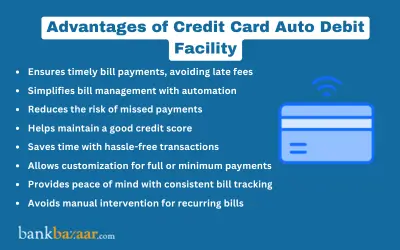

Advantages of Credit Card Auto Debit Feature
- Timely and consistent payments can be assured and time can be saved.
- Customers avoid paying unnecessary late payment fees and charges.
- It is the most convenient option to make payments online.
- The risk of identity theft can be lessened.
- Cardholders can build and maintain a credit history through consistent payments. They can also get reward points and build a good credit score.
- It offers flexibility in terms of payment methods, which are two in number: 1) total amount due (TAD) and 2) minimum due amount (MDA).
Disadvantages of Activating Credit Card Auto Debit Facility
- Customers may lose track on monthly bills since they are automatically paid.
- Sometimes, a few companies may ask customer pay a fee for offering this facility.
- Stopping automatic payments may be difficult.
- Customers should have an adequate account balance. If not, they have to pay bank overdraft fees.

Deactivation of Credit Card Auto Debit Facility Online
The deactivation of credit card auto debit can be done online by following the guidelines provided by your bankers. Experts suggest not to deactivate an auto debit facility unless you really require it.
The deactivation of credit card auto debit can be initiated whenever you want. The following are a few circumstances that necessitate you to deactivate the auto debit facility on your credit cards:
- When you change a job, you may or may not continue banking with the previous bank account and credit card account,
- When you want to close the existing credit card account and obtain new offers,
- When you change the job location and,
- When the bank balance is insufficient to make payments.
Advantages of Deactivating Credit Card Auto Debit Feature
Monthly payments can be tracked easily by customers who prefer making payments in cash. The deactivation of credit card auto debit has been a good option from the stance of the people, who cannot maintain consistent cash inflows. It holds appropriate for multiple credit cardholders as well.
Disadvantages of Deactivating Credit Card Auto Debit Facility
- Credibility and credit scores may be affected negatively.
- Other payment options consume time.
- The people who have not enrolled for this facility may face the risk of identity theft.
- Sometimes, you may default on payments. Late payments attract late payment fees and charges, which in turn overburden your financial obligations.
How to Activate SBI Credit Card Auto Debit Facility
SBI customers are required to download the auto debit activation form from the website of the bank, which is www.sbicard.com, and then the form should be filled in and cross-validated by your concerned banker. The physical copy should be sent to the below cited address:
SBI Cards and Payment Services Private Limited
P.O. Bag No.28, GPO, New Delhi - 110001
Details to be furnished in an auto debit form for SBI credit cardholders
- You have to furnish your SBI account number and SBI credit card number.
- You have to specify any one of the two payment options: 1) minimum amount due (MAD) and 2) total amount due (TAD).
- Personal details such as name, address, Email id and contact number should be furnished.
- You have to specify the name and address of your bank branch along with the code of the branch.
How to Deactivate SBI Credit Card Auto Debit Feature
You have to download the auto debit deactivation letter from the official website of the bank, which is www.sbicard.com, and then you have to fill it. The letter should be sent to the below mentioned address:
SBI Cards and Payment Services Private Limited
P.O. Bag No.28, GPO, New Delhi - 110001
This is how you can stop the facility of credit card auto debit offline.
How to Activate HDFC Credit Card Auto Debit Facility
For new bills:
- Login to HDFC credit card internet banking using your credentials.
- Once you are logged in, please find the 'Billpay and Recharge' button.
- Click the 'Billpay and Recharge' button. Upon clicking the button, you will find the 'Add Biller' button.
- Click the 'Add Biller' button, you will find the 'Enter new bill details' button.
- You have to choose the credit card option and standing instruction.
For registered bills:
- Login to HDFC internet banking using your credentials.
- Once you are logged in, please find the 'Billpay and Recharge' button.
- Click the 'Billpay and Recharge' button. Upon clicking the button, you will find the 'Standing Instruction' button.
- Click on Modify, Delete and Set in order to choose the bill for which you are willing to set standing instruction for.
- Click on Set and then furnish your credit card details, including the credit card number and the expiry date.
How to Deactivate HDFC Credit Card Auto Debit Facility
- Log on to your HDFC internet banking.
- Find the 'Bill Pay and Recharge' button and click.
- Click the 'Continue' button.
- Click the 'Standing Instruction' button.
- Click the 'View/Stop Scheduled Bills' button.
- Find the name of the biller and click the 'Stop' button.
- Find the 'My Billers' button and click.
- Click the 'View/Delete Billers' button.
- Now, the screen will display the list of active billers. Click the blue 'Trash' icon to remove the biller.
How to Activate Axis Bank Credit Card Auto Debit Facility
- Log on to you Axis bank credit card net banking using your credentials.
- Click the 'Cards' button and select the 'Auto Debit' option.
- Choose the credit card number and click the 'Submit' button.
- Select the payment option. It should be either Total Amount Due or Minimum Amount Due. Hit the 'Submit' button.
- Provide OTP. You are done!
How to Deactivate Axis Bank Credit Card Auto Debit Facility
Axis Bank customers can stop the credit card auto debit service online. No funds shall be transferred to your billers once you deregister the Axis credit card auto debit facility.
FAQs on Credit Card Auto Debit Facility
1.What is an auto-debit facility in a credit card?
The facility of auto-debit is a money transfer slated on a specific date to remit recurrent bills such as home mortgage EMIs, property loans, vehicle loans, utility bills, credit card bills, etc. With this, the amount of money which is supposed to be paid will be debited automatically on the date of debit.
2.How do I stop my credit card from auto-debit?
The process of deactivation of auto-debit for credit card differs from one bank to another. Ideally, you will be required to log in to your net banking account and choose to stop the auto-debit facility from the credit card tab on the homepage.
3.How do I set up automatic payments?
You can set up automatic payments from your net banking account. The process to set up auto-debit payments differs from one bank to the other. You can log in to your net banking account and click on the credit cards tab. Once done, you can enable the auto-debit facility from the credit card account number.
4.Can I stop an automatic payment through my bank?
Yes, you can stop automatic payments through your bank. You can do so through net banking or by visiting the nearest branch of your bank and submit a request to stop automatic payment through the bank.
5.What is an auto-debit request?
An auto-debit request is raised when an applicant wishes his payments to be automatically credited from his bank account. Auto debit requests can be raised through net banking account by enabling the facility of auto-debit. A customer can also visit the branch of the bank and raise the request of auto-debit offline.

Annie Jangam is a financial writer with a unique background in biotechnology and eight years of genomics research experience, culminating in 6 international publications. She combines her analytical and communication skills to simplify complex financial concepts, delivering precise and creatively engaging content in the fintech industry. She covers various financial products such as banking, insurance, credit cards, tax, commodities, and more. Outside of the financial realm, she dabbles in poetry. Her extracurricular passions include organizing events like One Billion Rising and Human Rights Day. She is committed to the equality of all people, a principle rooted in her Christian faith. Annie strives to embody the values of faith, hope, and love in both her work and her life.

Disclaimer
Credit Card:
Credit Score:
Personal Loan:
Home Loan:
Fixed Deposit:


Copyright © 2026 BankBazaar.com.